
Use case
Photo proof of how the site looked before you started.
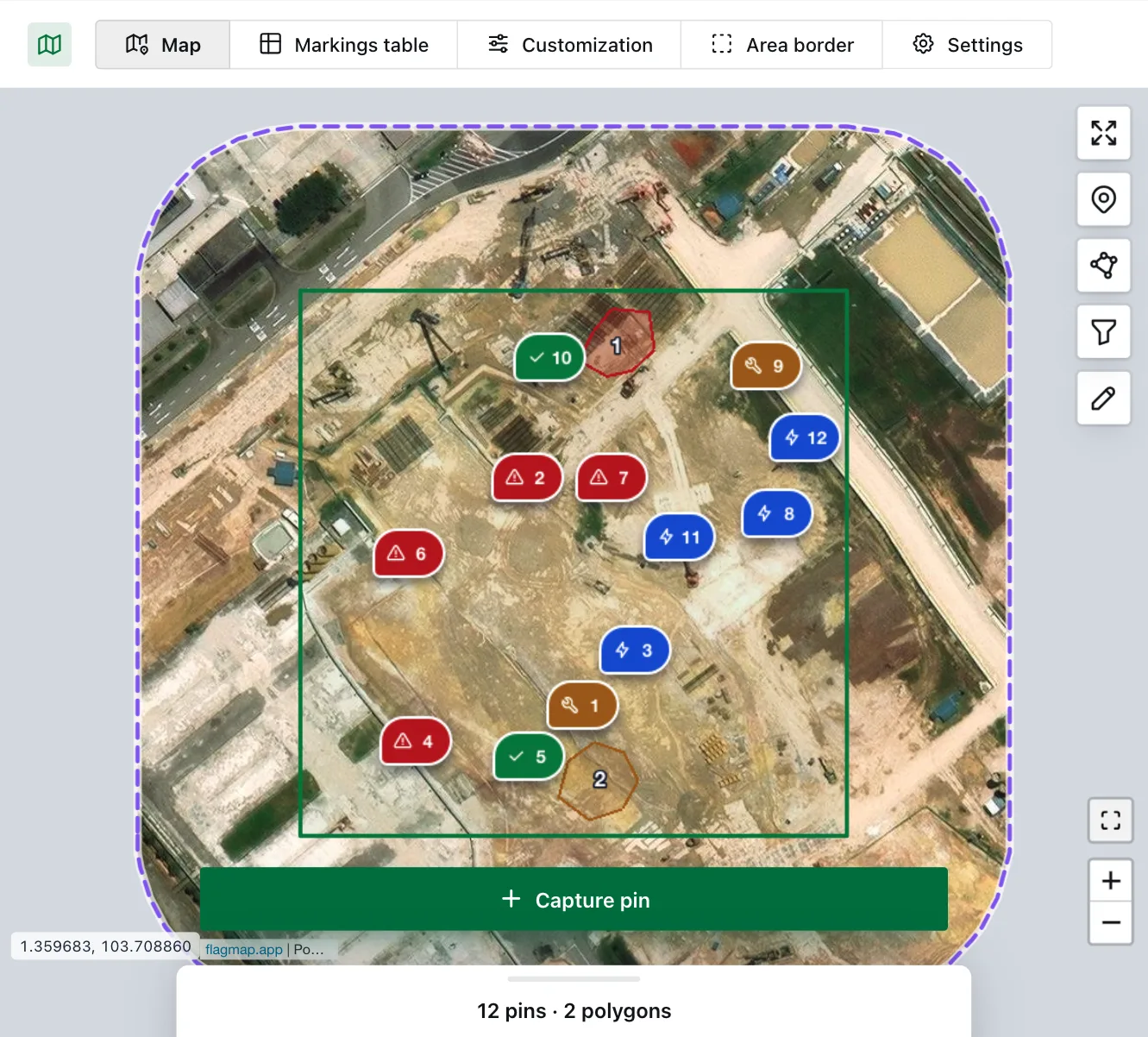
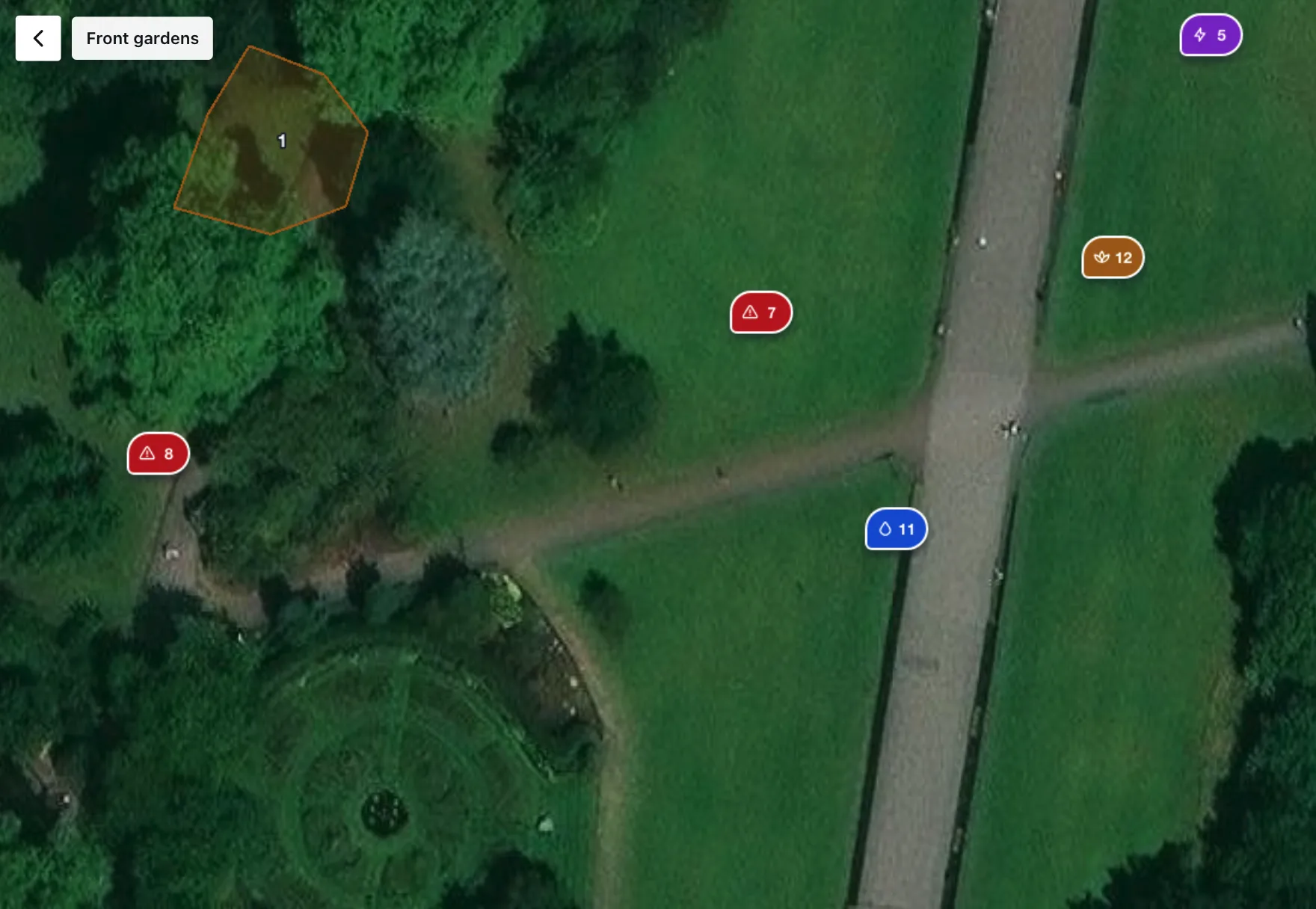
Walk the site before work begins and mark what is already there on an aerial photo: cracks, stains and damage, each with a dated photo at its spot. If someone blames you later, you show the record.
Start for free. No credit card required.
The old way
Where paper, photos and memory let you down.
Blamed for damage you never caused
Without a record, a crack that was there before you arrived becomes yours to repair.
Photos with no place
Three hundred photos of kerbs and walls, and no way to say which kerb is in which photo.
Needed a year later
The claim arrives long after the job, when the phone that took the photos is gone.
How it works
Start recording in three steps.
Draw the site
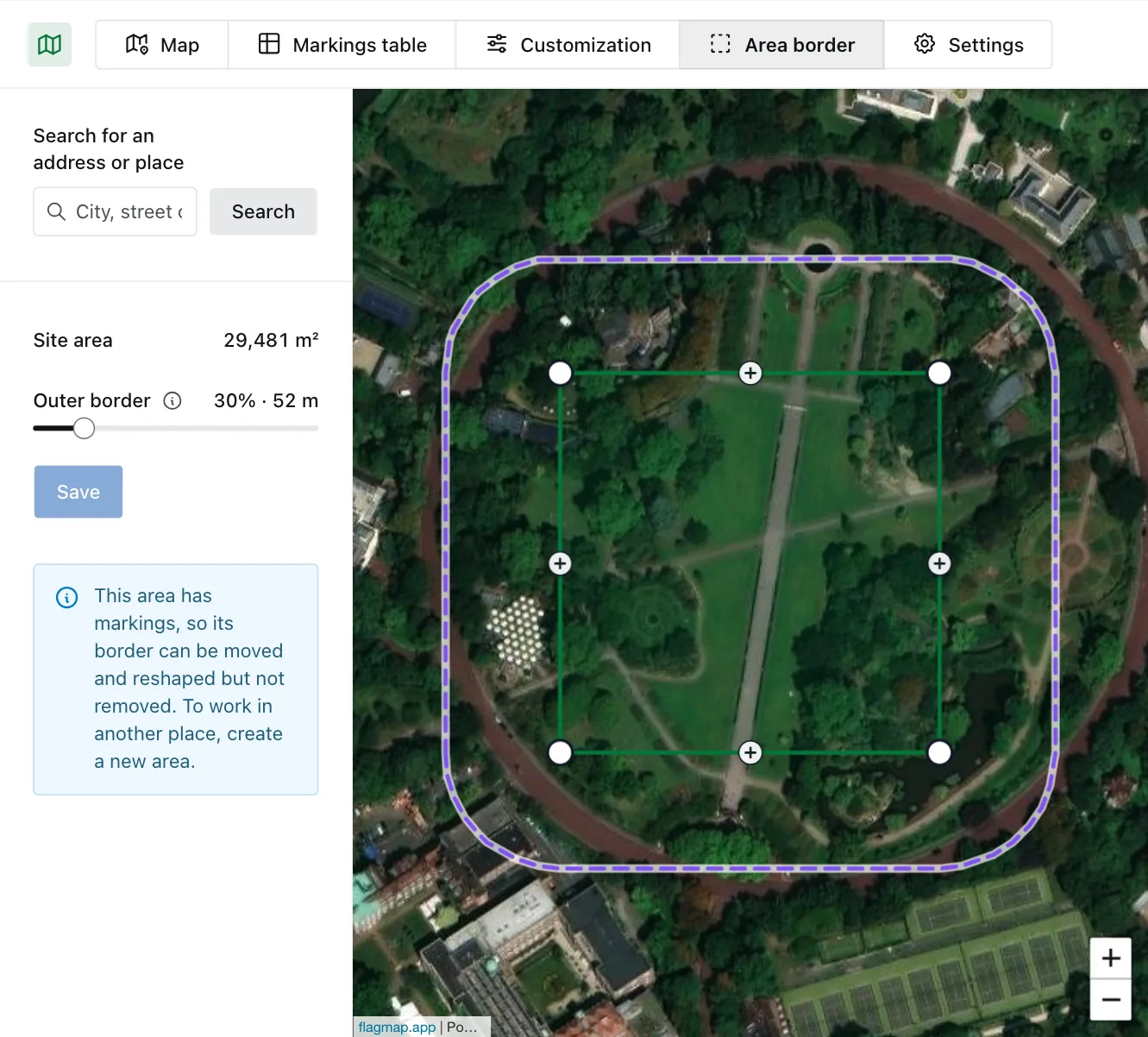
Search for the address and tap the corners of the site and its surroundings on the aerial photo.
Set up what you record
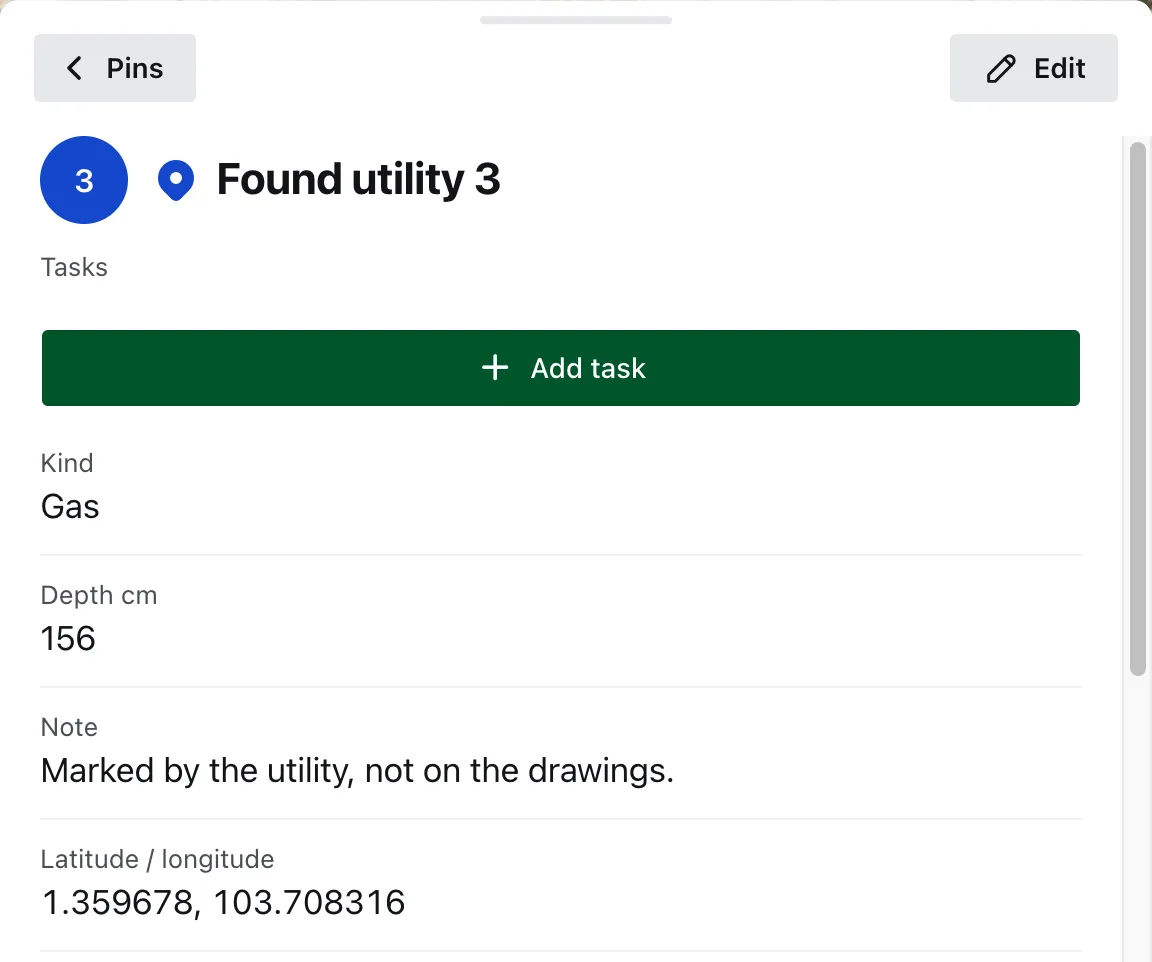
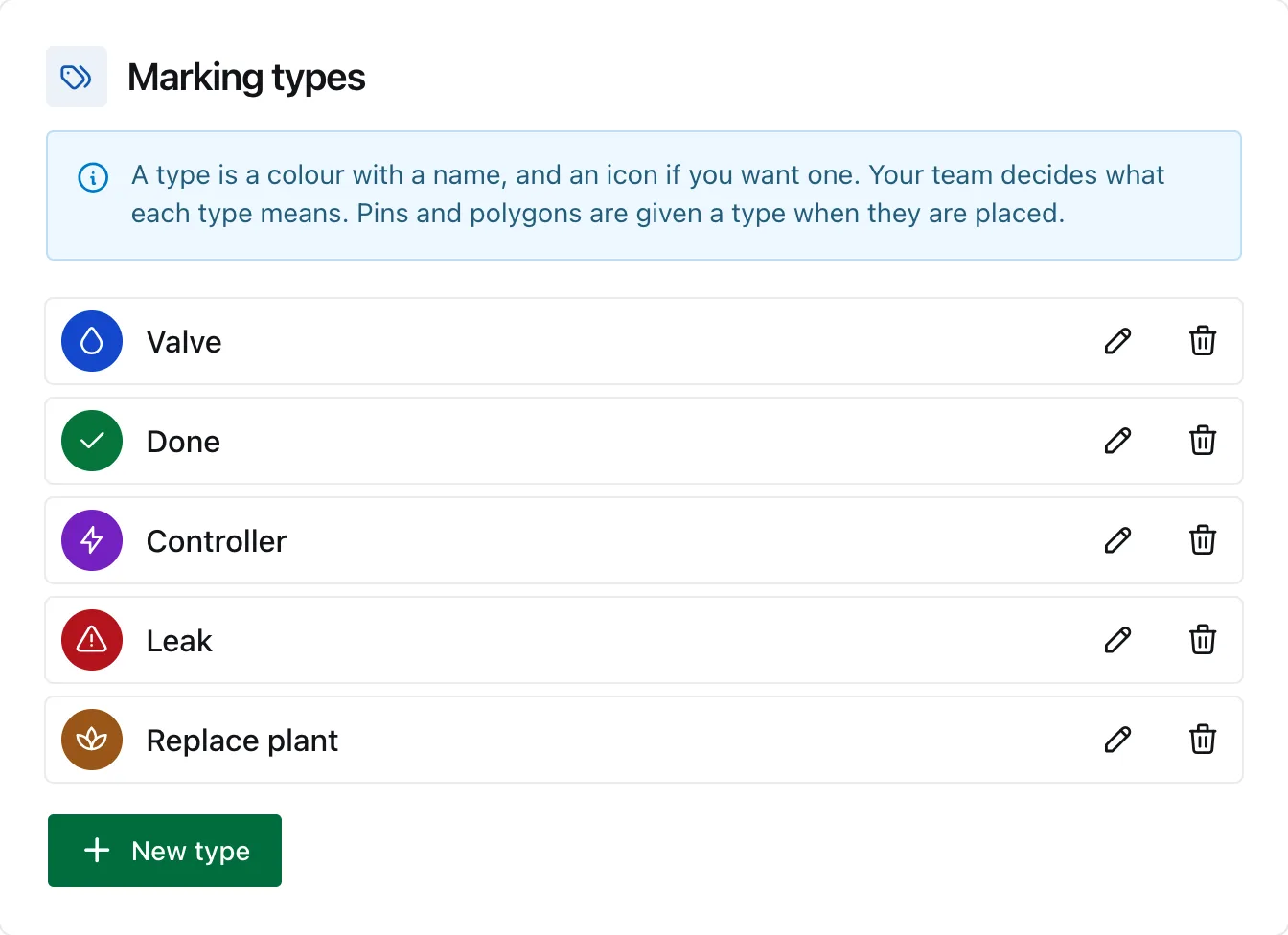
Create types such as Existing damage, Good condition and Found utility. Add a form field for the element.
Mark what is already there
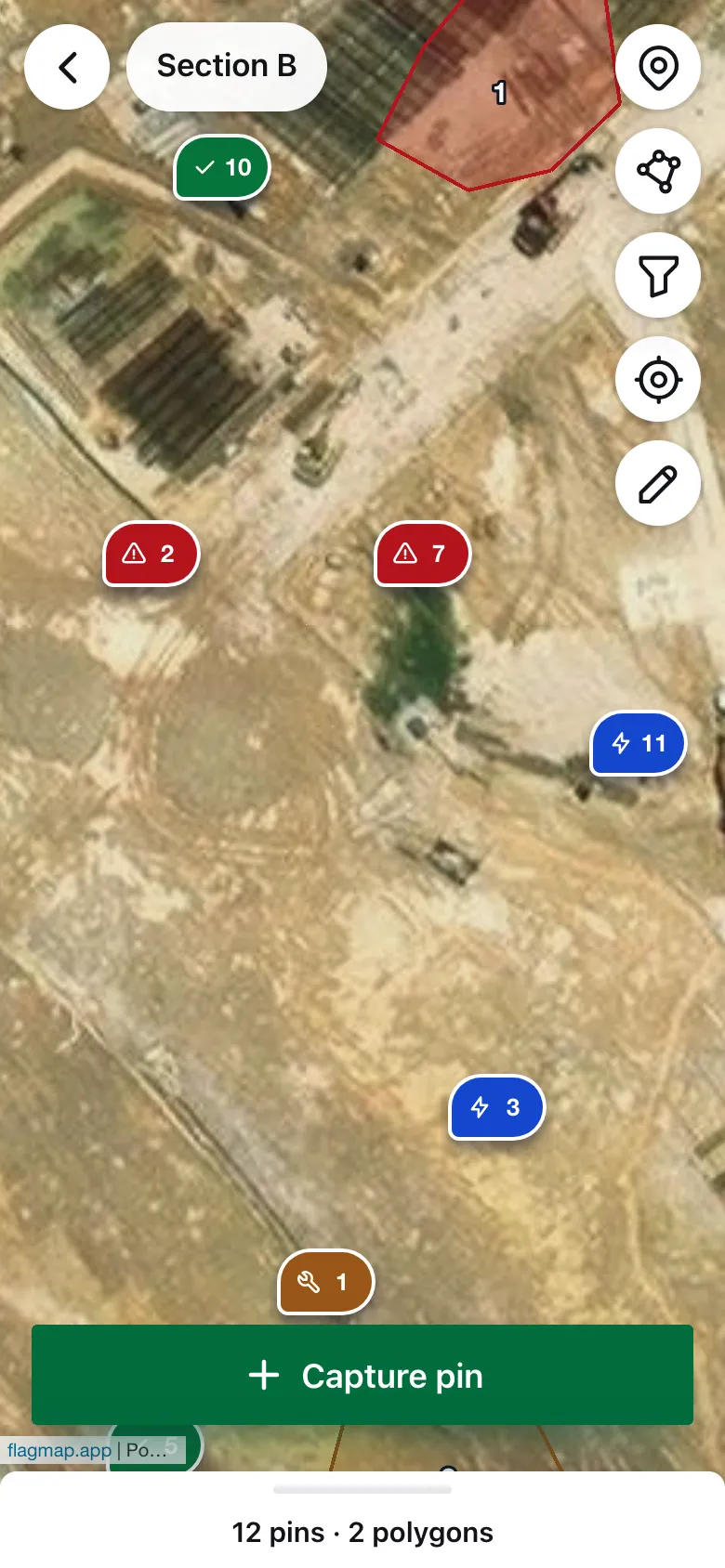
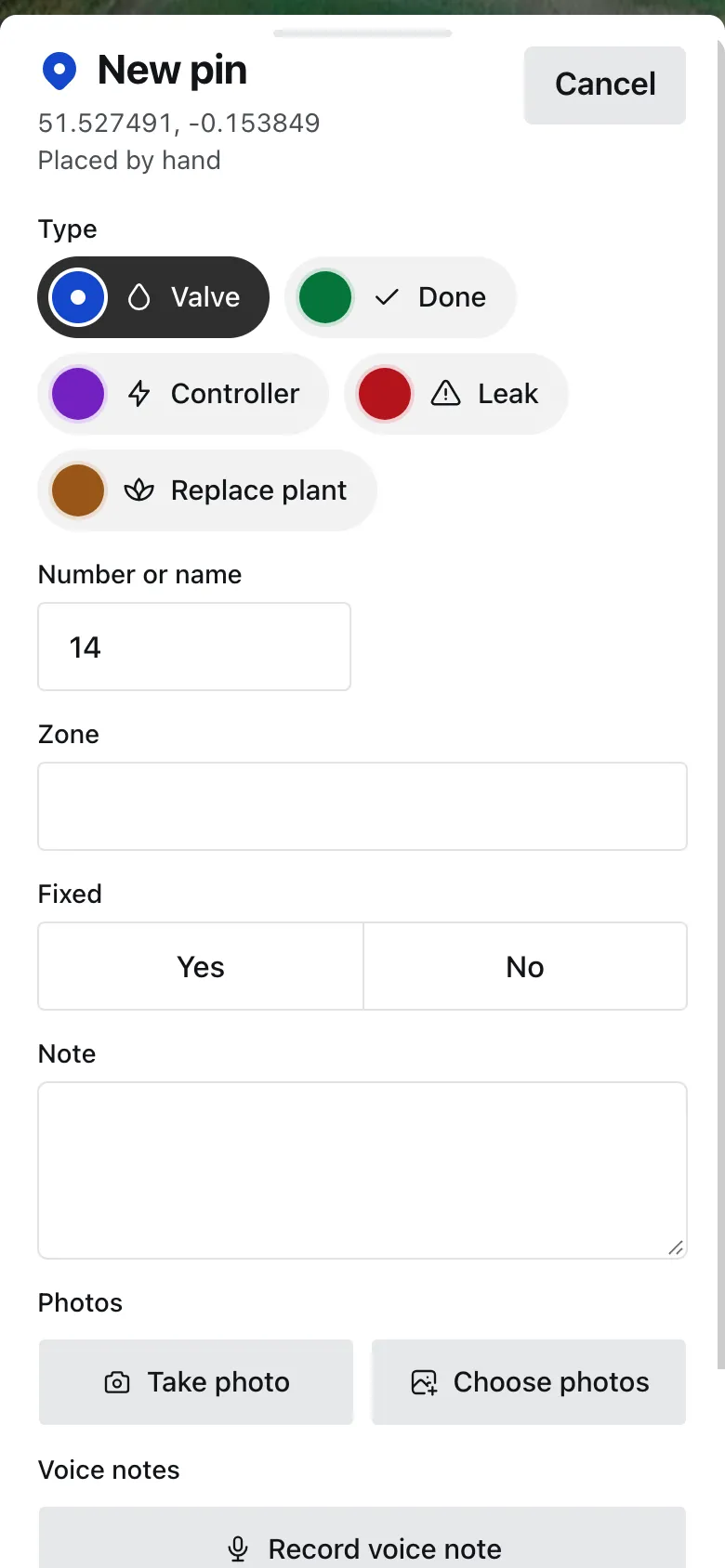
Stand at the crack, tap the map, choose the type and take the photo.
What you get
A dated record of the site before work starts.
Before
Every existing defect at its spot, with a dated photo.
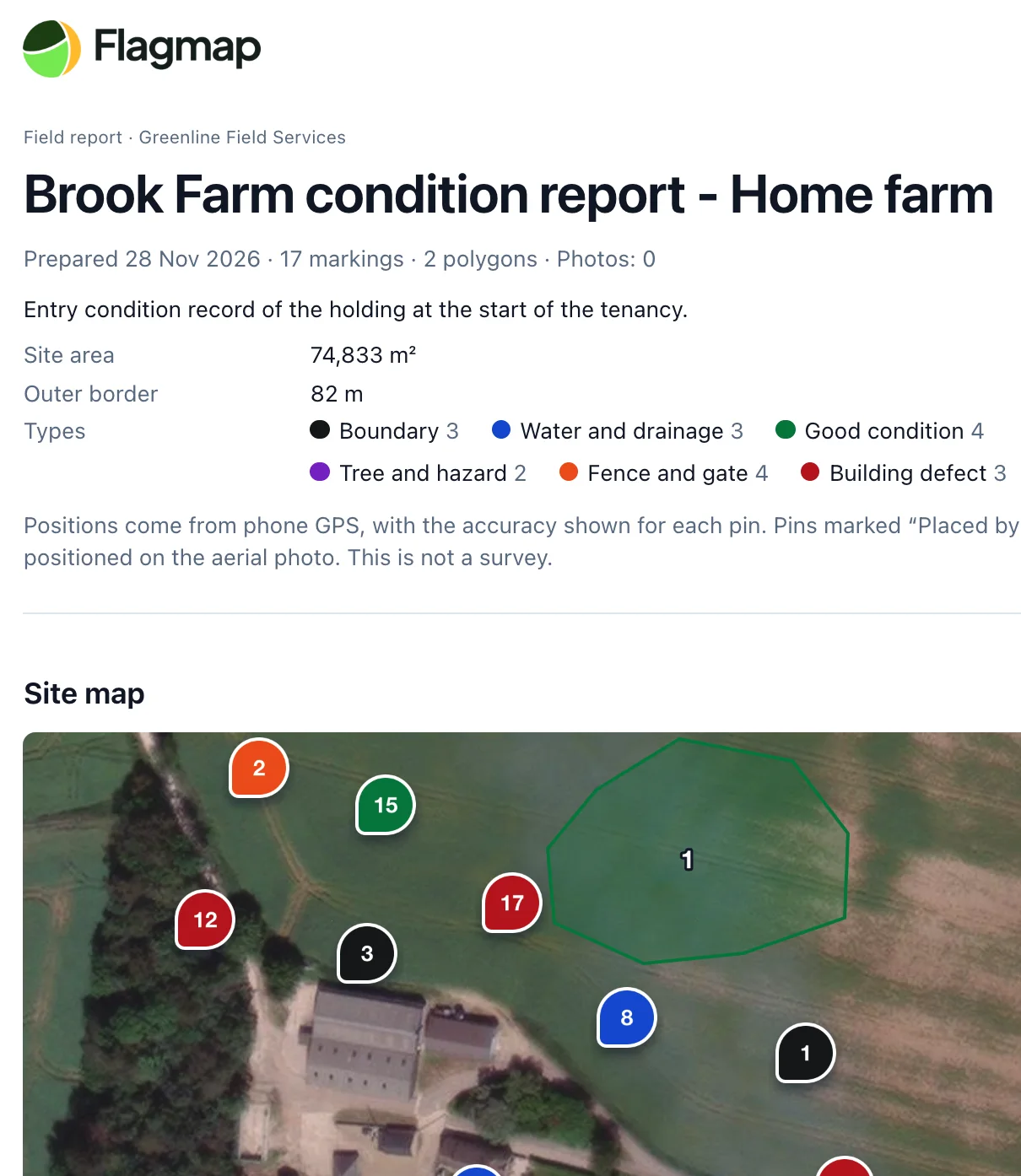
Each finding is a numbered marking on the aerial photo with its photos, date and time. A year later you open the map and press the kerb in question.
- Photos saved at the spot they show
- Date and time on every marking
- Shapes for larger areas of damage
The record
A schedule of condition, with a map.
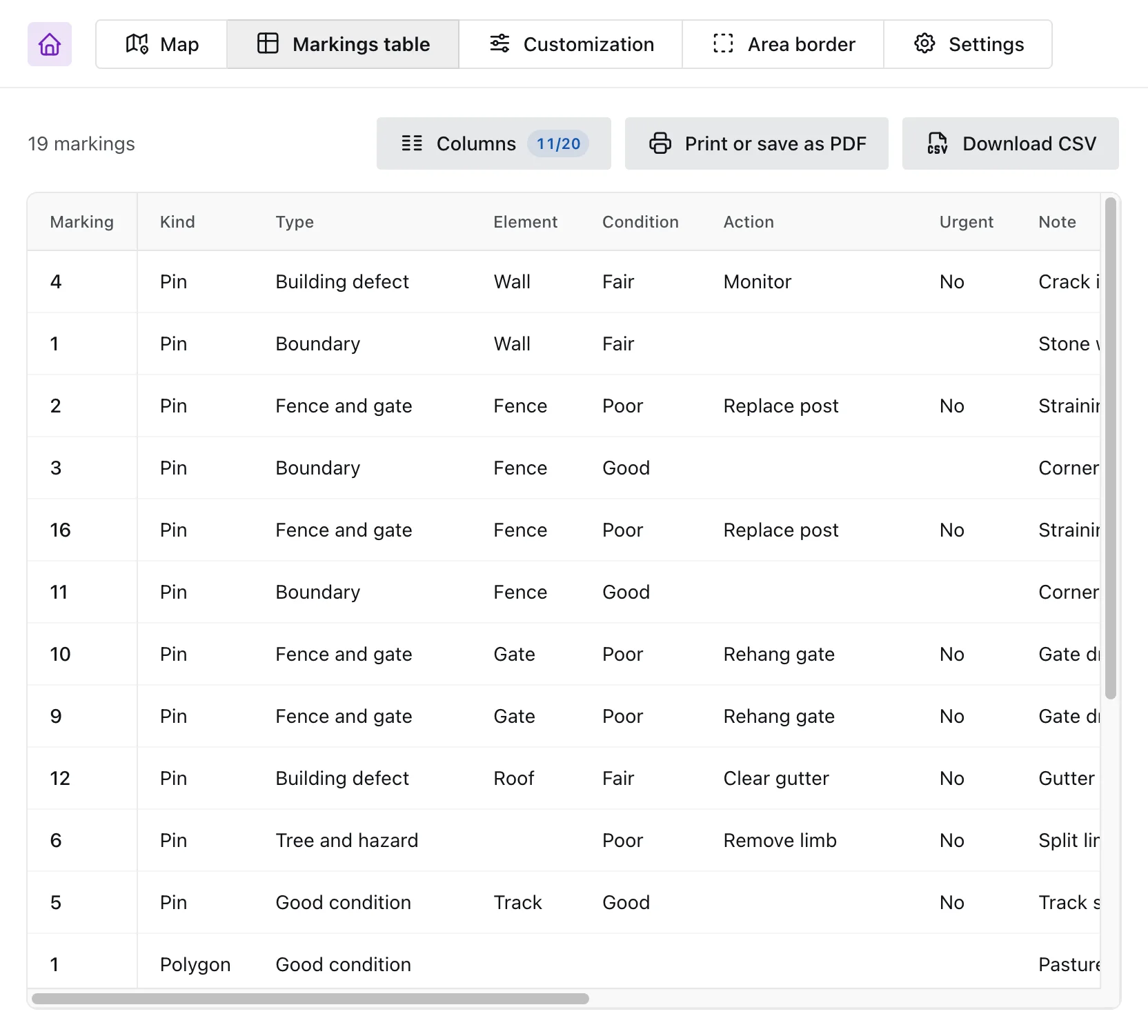
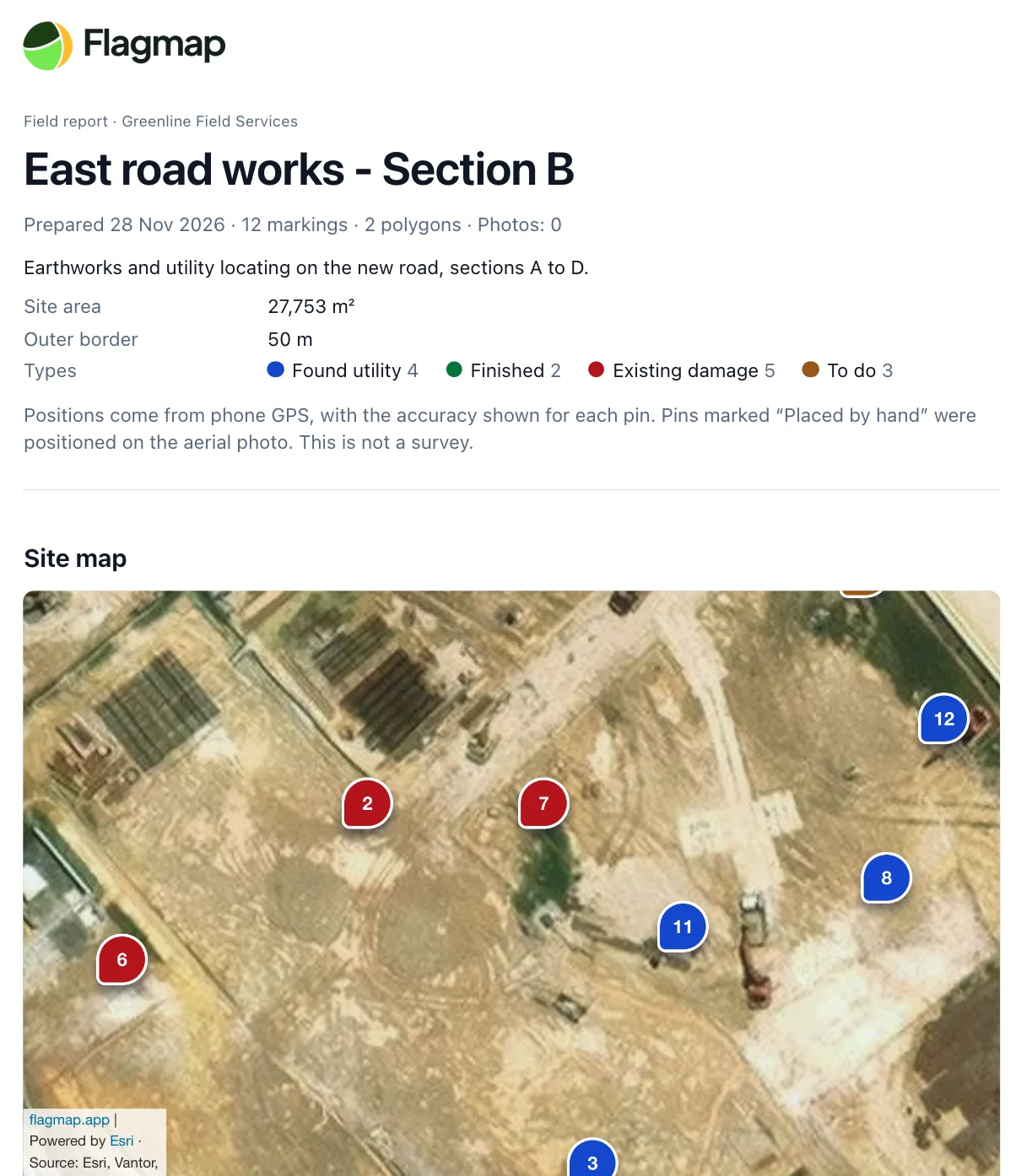
Every marking is a row with its element, condition and note. Print the report with the map, or save it as a PDF to attach to the contract.
- Your own columns, such as element and condition
- The schedule as a spreadsheet
- The report with the map and every finding
Agreed
Both sides look at the same record.
Send the owner, the neighbour or the client a view-only link before work starts. They see the map and the photos without an account.
- A free view-only link
- A printed report for the file
- Turn sharing off at any time
What you record
Your own types and form, set up in minutes.
Create a type for each thing you record and the form fields you want filled in. These are examples to start from.
- Element
- Kerb
- Condition
- Poor
- Note
- Cracked over 2 m, there before the works
- Element
- Boundary wall
- Condition
- Fair
- Note
- Old crack, 3 mm, at the gable end
- Element
- Driveway
- Condition
- Good
- Note
- No marks or cracks
What you hand over
A dated record to attach to the contract or the claim.
Save the report with the map and every finding as a PDF, download the schedule as a spreadsheet, or send a view-only link to the live record.
Spreadsheet
Every marking as a row with your columns, as a CSV file for Excel or Google Sheets.
PDF report
The site map and every marking with its details, printed or saved as a PDF.
View-only link
The live map, notes and photos for people outside your company, with no account.
Does the record show when each photo was taken?
Every marking keeps the date and time it was recorded, and the report prints them.
Can I add to the record during the job?
Yes. Add markings at any time. Each keeps its own date and time, so what was there before and what came after stay apart.
Can I add my own columns?
Yes. Add text, number, choice, yes or no, and date fields. Each one is a line in the form and a column in the table.
Does it work with no signal?
Yes. Open the site once with signal and it works there with no signal after that. Your markings sync automatically when you are back online.
Can someone outside my company see the map?
Yes. Send a view-only link. They see the map, the notes and the photos without an account and cannot change anything.
Start today
Leave your next site with the paperwork done
Try FieldFlag on your next site visit. It is free for one person and one site, with no time limit.