
Use case
Know where every valve, shutoff and asset is on the property.
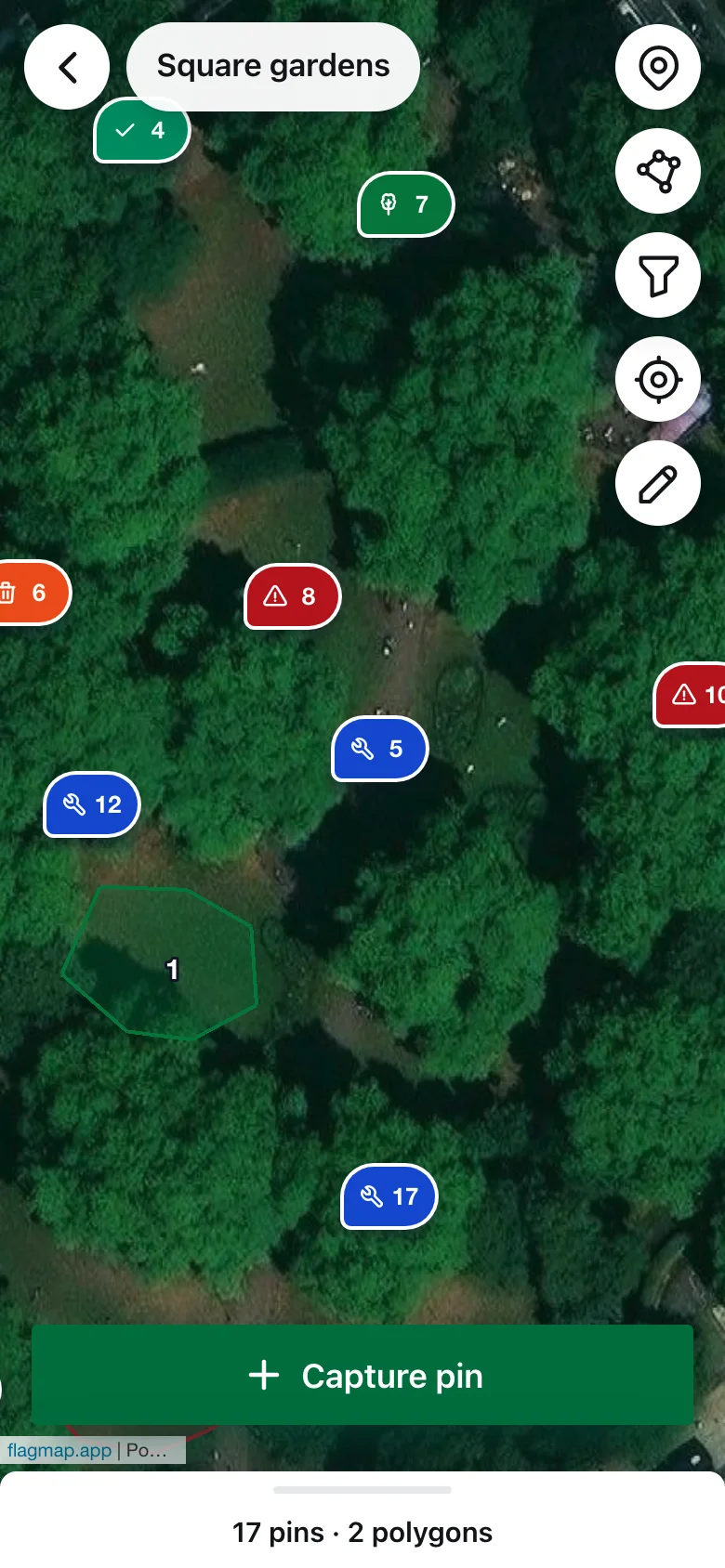
Mark each valve box, controller, sign, bench and light on an aerial photo, where it really is. The next crew opens the map and walks straight to it.
Start for free. No credit card required.
The old way
Where paper, photos and memory let you down.
Not where the plan says
Even with the drawings in hand, the valves are often somewhere else.
A system with no map
The property changed hands, and nobody knows what is in the ground or where it shuts off.
Knowledge that leaves
The technician who knew every valve box takes another job, and the knowledge goes too.
How it works
Start recording in three steps.
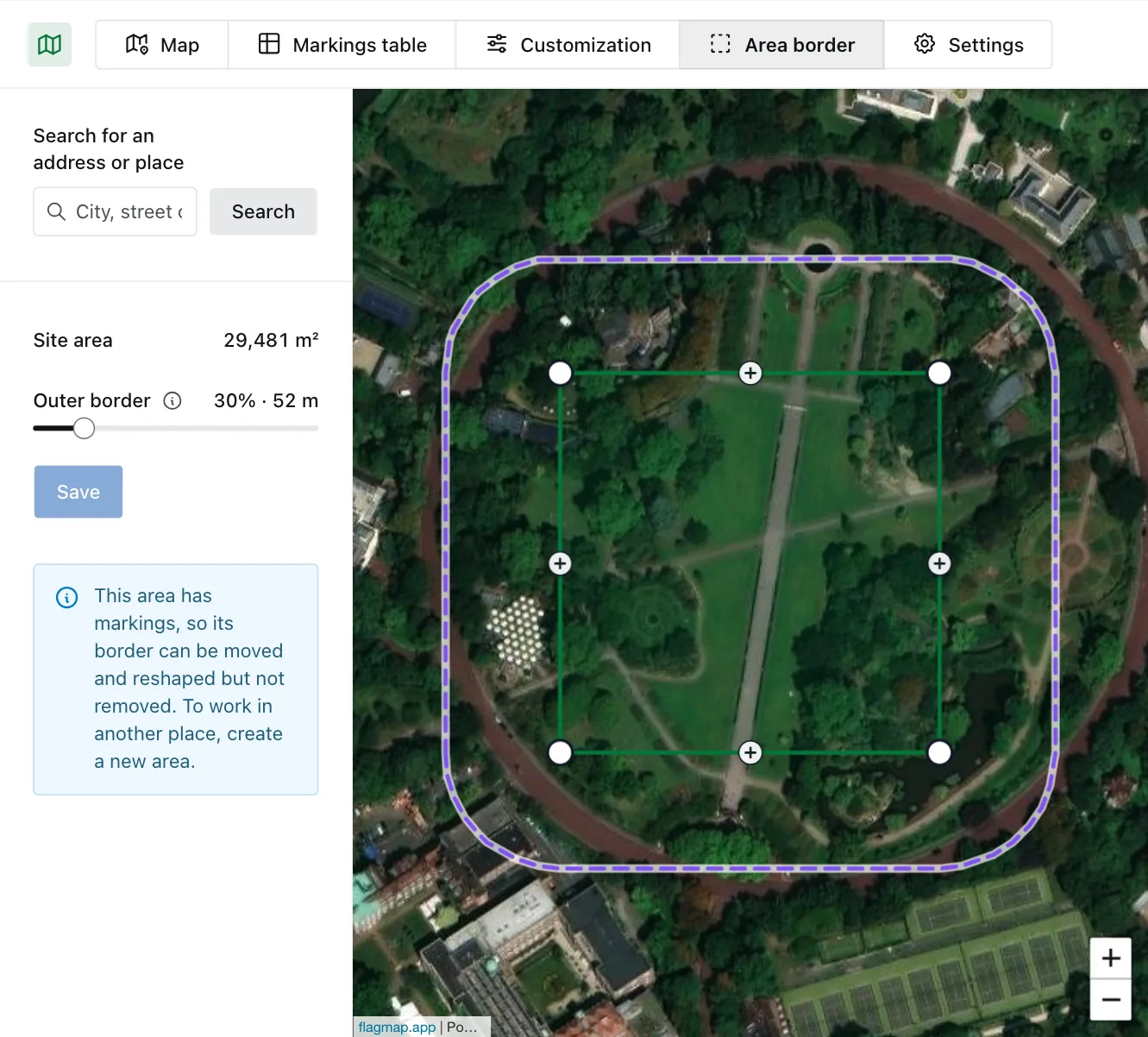
Draw the site
Search for the address and tap the corners of the property on the aerial photo.
Set up what you record
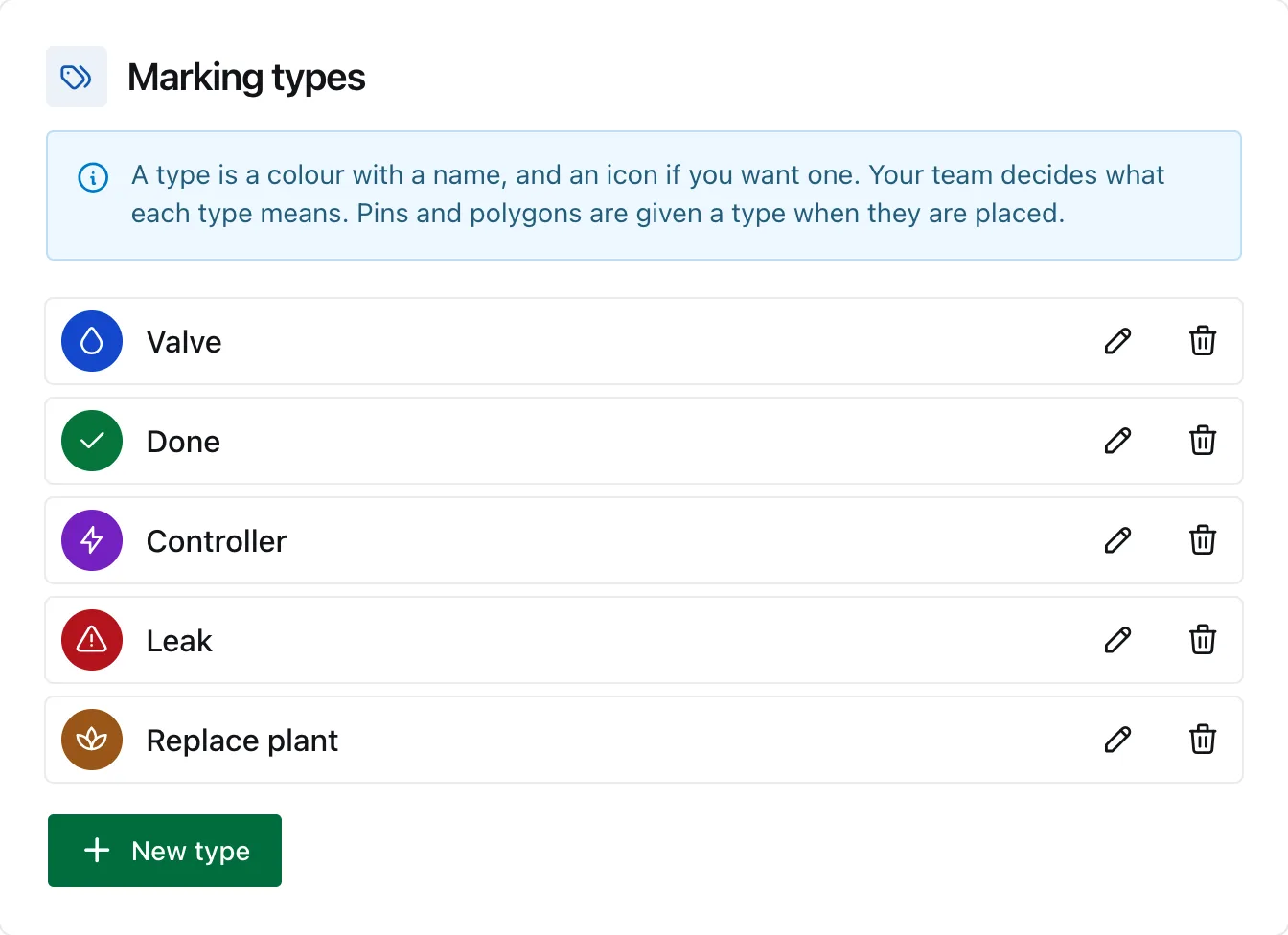
Create types such as Valve, Shutoff, Controller, Sign and Light. Add form fields for the zone and the size.
Mark each one where it is
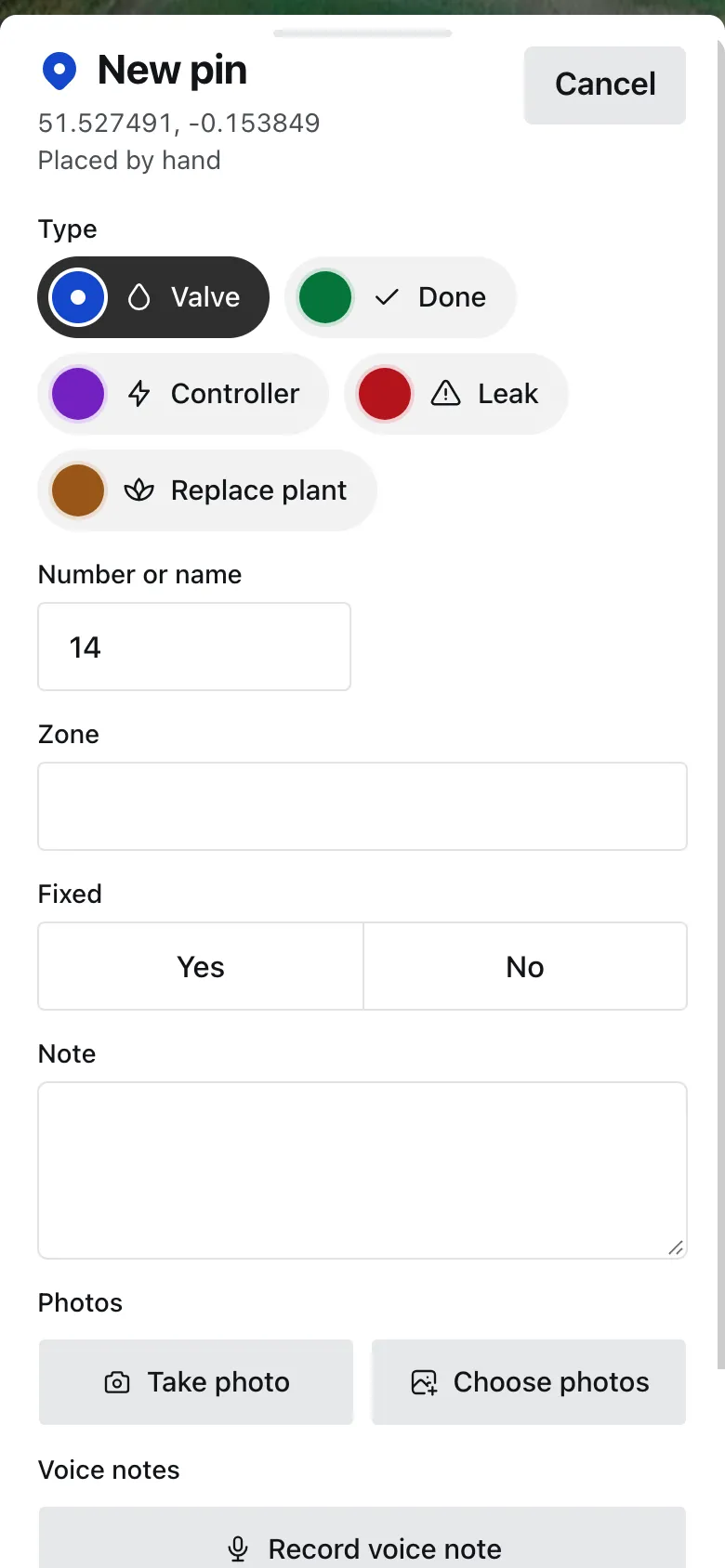
Stand at the valve box, tap the map, choose the type and take a photo of the lid.
What you get
A map of what is really there.
The map
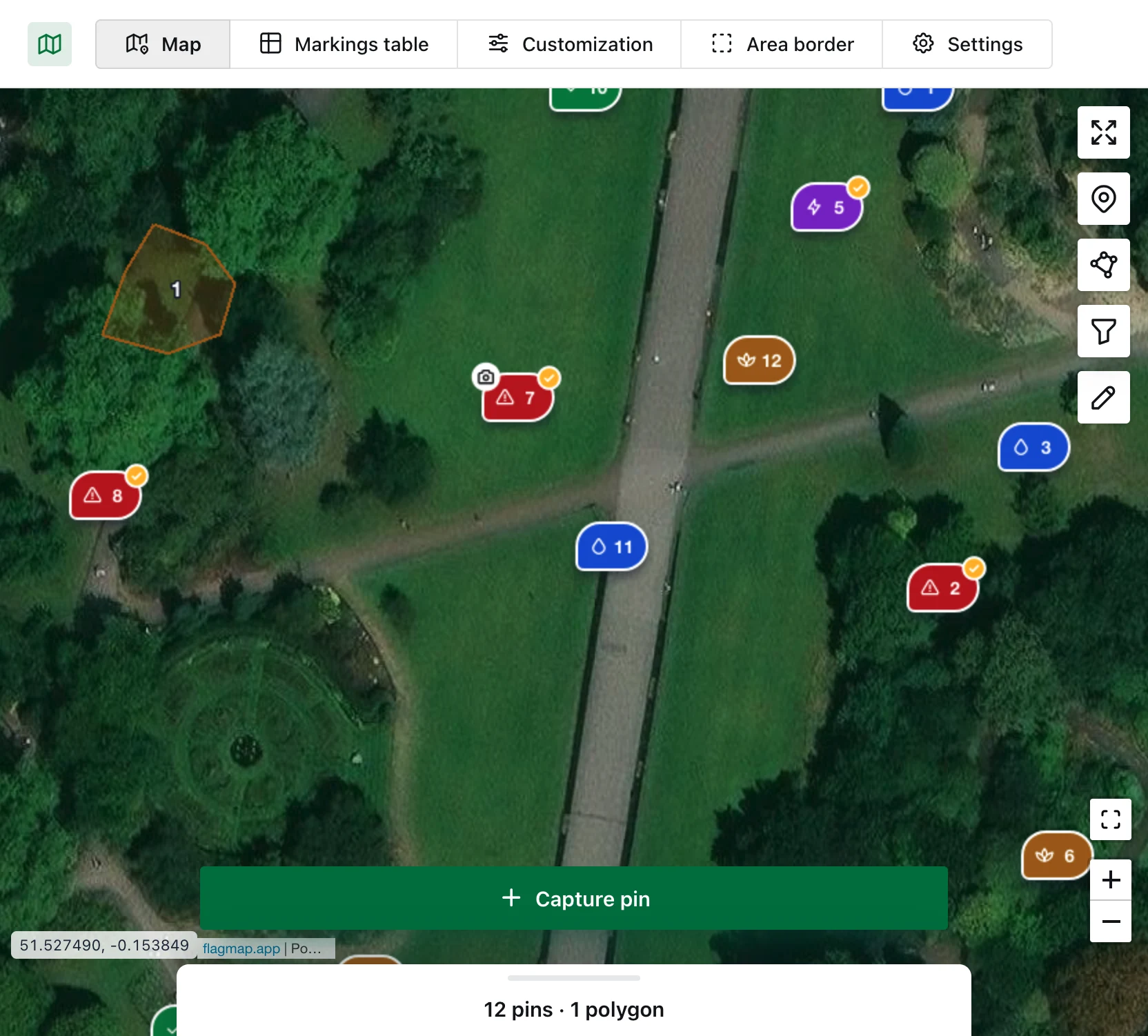
Each valve and asset at its real place.
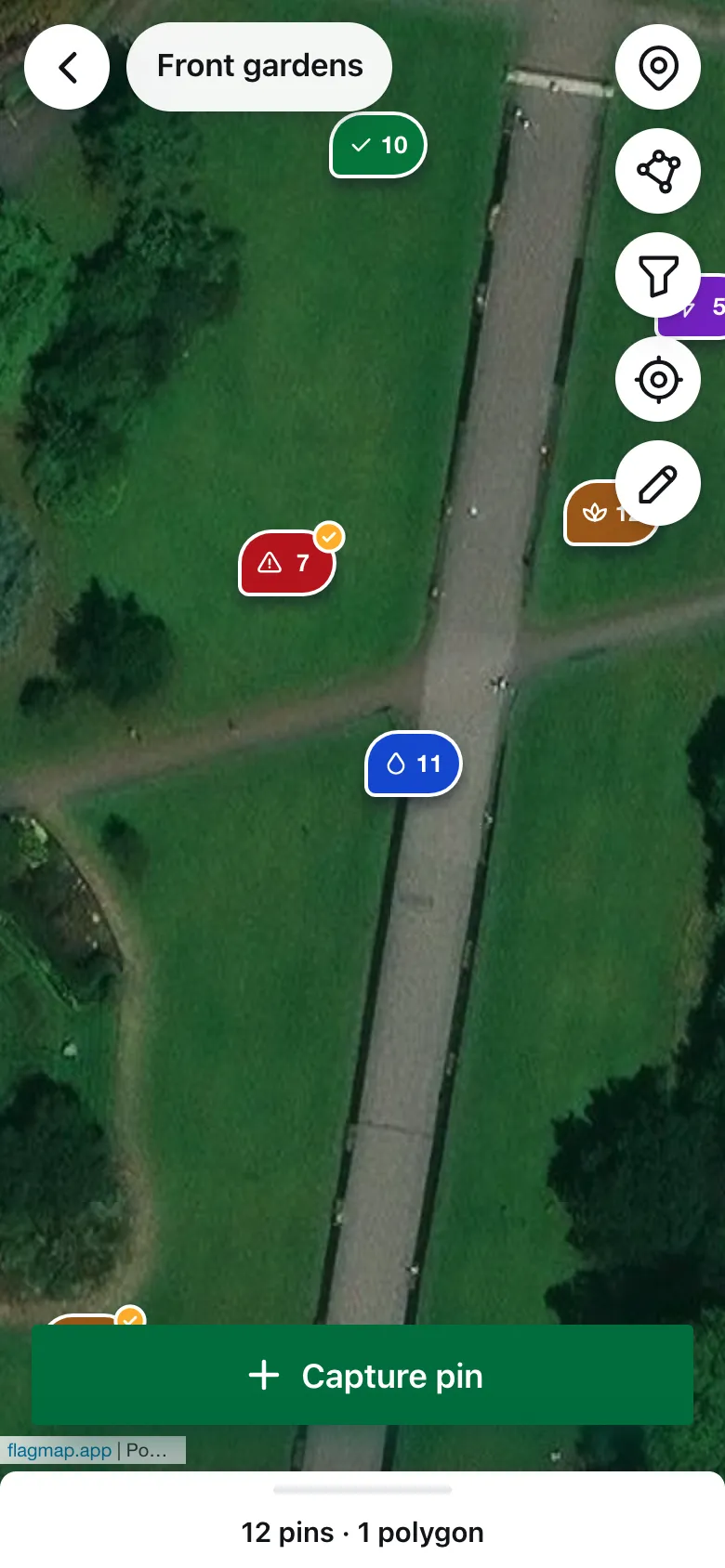
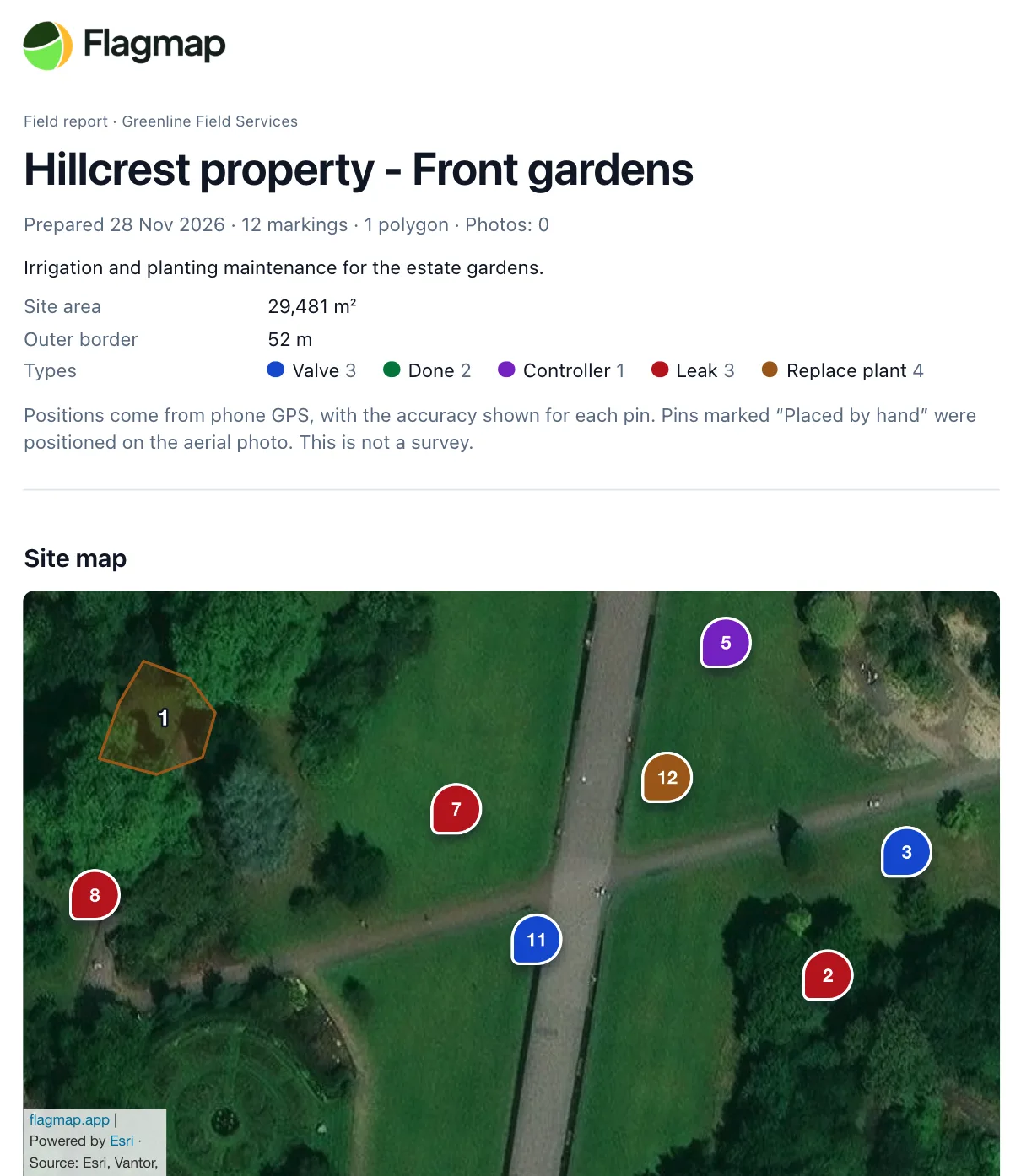
Every one is a numbered marking on the aerial photo, in the colour of its type. The map shows where you are standing as you walk to it.
- Valves, shutoffs and controllers in their own colours
- Zone and size as form fields
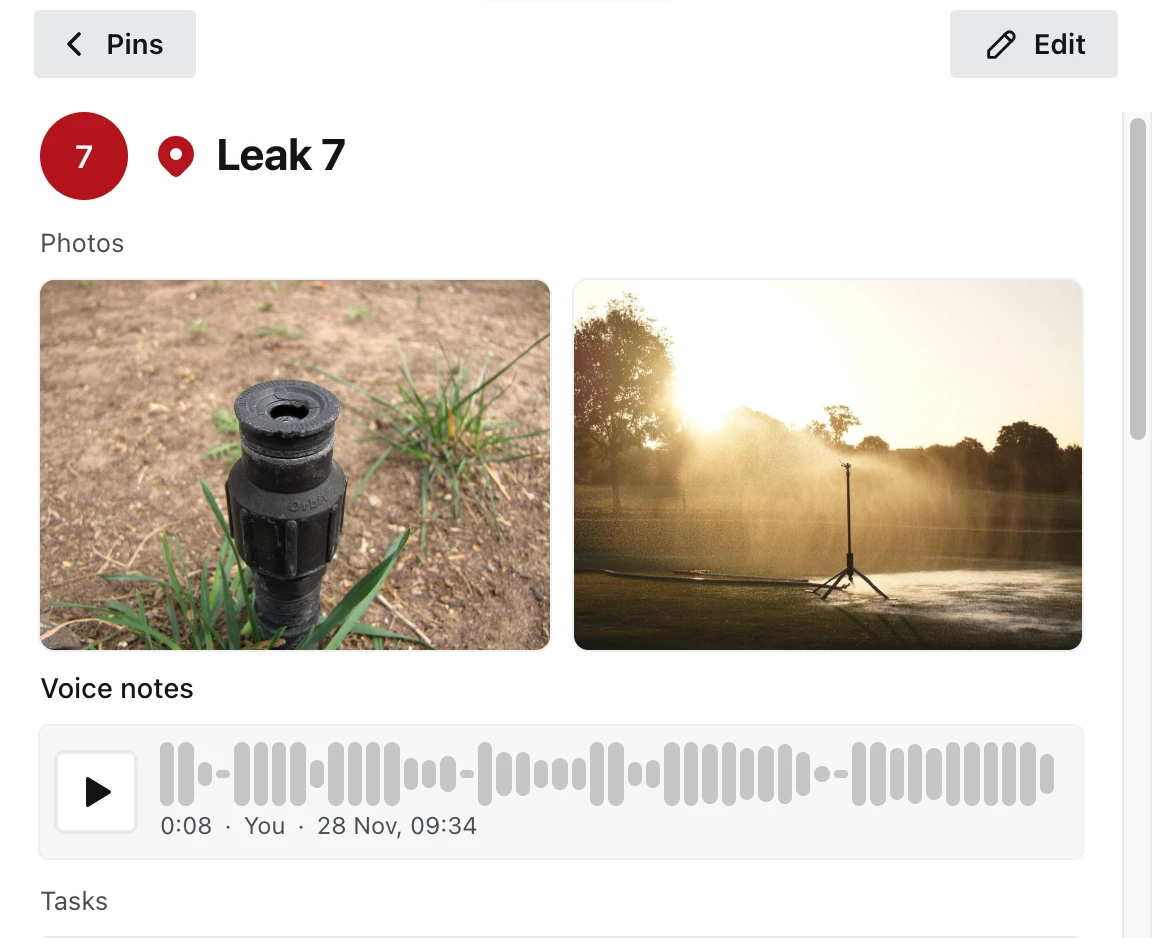
- A photo of each box, so it is easy to spot
The inventory
An inventory you can count and sort.
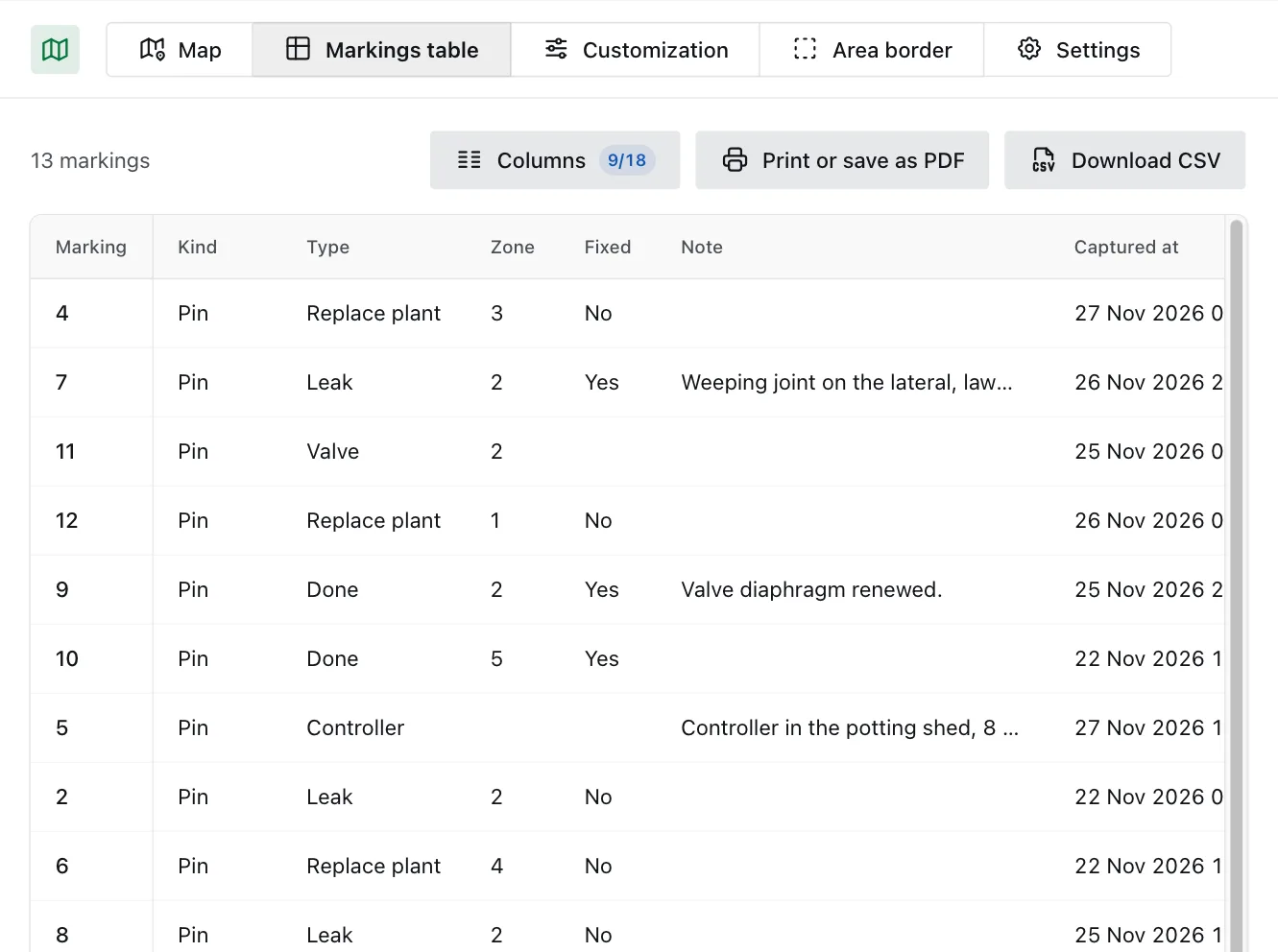
Every marking is a row in the table with its type, zone and note. Download it to count the valves, order parts or hand the list to the owner.
- Your own columns
- The inventory as a spreadsheet
- The report with the map, saved as a PDF
For the next crew
A new technician finds everything on the first visit.
They open the property on their phone and see every valve, shutoff and asset, each with its notes and photos, in their own language.
- Opens in the phone's browser
- Works offline
- 58 languages
What you record
Your own types and form, set up in minutes.
Create a type for each thing you record and the form fields you want filled in. These are examples to start from.
- Zone
- 4
- Size
- 25 mm
- Note
- Box under the hedge, green lid
- Zone
- Main
- Size
- 50 mm
- Note
- Behind the pump house, key in the office
- Zone
- 1 to 8
- Note
- In the plant room, timer set for 5 am
What you hand over
A map and an inventory for the owner and the next crew.
Send a view-only link to the property's map, download the inventory as a spreadsheet, or print the map with every asset numbered on it.
Spreadsheet
Every marking as a row with your columns, as a CSV file for Excel or Google Sheets.
PDF report
The site map and every marking with its details, printed or saved as a PDF.
View-only link
The live map, notes and photos for people outside your company, with no account.
Can I record the zone and the size of each valve?
Yes. Add a field for each. You decide the form for every site.
How exact is a marking's position?
FieldFlag uses your phone's location and shows its accuracy. You can also place or move a pin by hand on the aerial photo.
Can I add a photo of each valve box?
Yes. Take photos on the marking, from the camera or your gallery. Each keeps its place, date and time.
Does it work with no signal?
Yes. Open the site once with signal and it works there with no signal after that. Your markings sync automatically when you are back online.
Can someone outside my company see the map?
Yes. Send a view-only link. They see the map, the notes and the photos without an account and cannot change anything.
Start today
Leave your next site with the paperwork done
Try FieldFlag on your next site visit. It is free for one person and one site, with no time limit.